OmniHuman2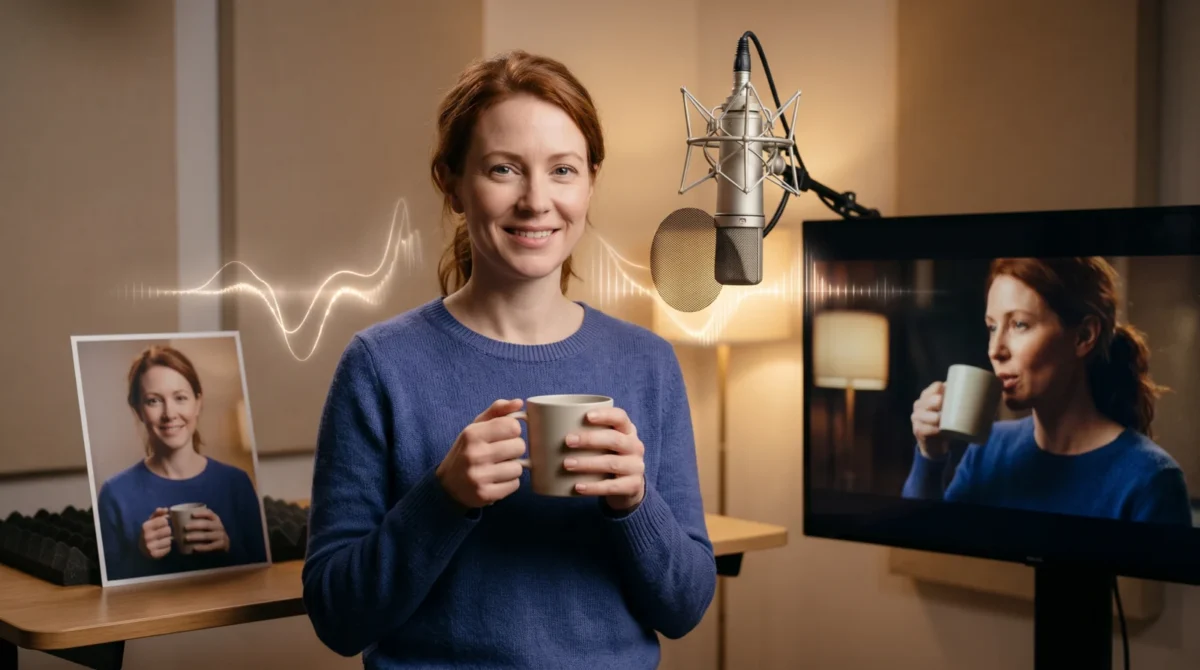
A mug that appears halfway through a talking clip needs more than the words “holding a mug.” For OmniHuman 2.0 prop prompts, describe the object, which hand touches it, where it sits in the frame, and when it moves. BytePlus says text prompts can add elements absent from the reference image, but it doesn’t promise perfect object handling.
Start with the frame, not the prop
Imagine a presenter explaining a coffee blend while lifting a cup. If the reference photo ends at the shoulders, the prompt has to invent the hands, the cup’s shape, and the space between cup and face. That’s a lot of guessing for one shot. Give it less to guess. I would shoot the presenter from mid-torso up, hands visible, with the cup already in the reference photo if the cup matters to the story.
BytePlus describes OmniHuman 2.0 as taking a single image and audio with an optional text prompt. It also says prompt words can add elements missing from the image. Treat that as permission to attempt a new object, not a guarantee that its rim or handle across the clip will stay consistent throughout a clip. A cup already in the image gives the video a clearer starting point; an invented cup gives you more room to experiment, at greater risk of visual drift.
Keep the object unbranded for a first pass. Start plain. If a product label or exact packaging has to be readable, plan to add the verified product shot in an editor instead of trusting generated letters. The same goes for a phone screen. Skip the screen. Avoid tiny print. Bad labels draw the eye.
For the image itself, check that the wrist isn’t cropped at the edge, the fingers don’t hide the object, and the face is unobstructed. The reference-image guide covers the broader framing decisions. Here, the prop is the point: show the model where it belongs before telling it what to do.
Four prop prompts you can adapt
These are draft prompt examples, not tested outputs. Change the object and action to fit your own image and audio. The quoted words are shot directions, not a special OmniHuman command syntax. No magic words.
Cup, one deliberate lift: “Waist-up presenter facing the camera. A plain ceramic cup rests in her right hand at chest height. As she introduces the drink, she raises the cup slightly, pauses, then lowers it to chest height. Keep her face visible and the camera fixed.” This pins the hand and position, then gives it one movement. A small lift asks less of the hand-object contact than a sip. Start there.
Notebook, no page turn: “Seated presenter holds a closed, unmarked notebook against her lap with both hands. While speaking, she glances down once and taps the notebook cover lightly with one finger. Camera remains still; her mouth stays visible.” A page turn introduces thin surfaces and extra finger motion. If the notebook is merely a visual cue, don’t make it do tricks. Leave it closed.
Microphone, stable placement: “Chest-up singer stands beside a plain microphone on a stand, positioned to the singer’s left and below mouth level. She sings toward the mic without gripping it. Her head turns slightly toward the microphone during the final phrase.” This puts the mic in the scene without demanding a complicated grip. Hands off. For more on matching sung audio to the performance, see the singing prompt examples.
Gift box, a controlled reveal: “Waist-up host holds a small unmarked gift box at mid-chest. On the final sentence she tilts the box gently toward the camera; the lid stays shut. Her hands stay on the two sides of the box.” If the contents must be exact, cut to a real product insert after the talking shot. Asking for an opening lid plus moving hands while a new product comes into view in one prompt piles uncertainty onto uncertainty.
Match the action to the audio
A prompt says what you want to see. The audio tells the clip when the speaker talks and where a pause lands. Write down the one line that should trigger the action, then keep the requested motion near that line. “Lift the cup on the words ‘this is our blend’” is clearer than “interact naturally with the product throughout.” It still isn’t a frame-accurate timing guarantee. Keep it simple.
BytePlus describes gesture control through text prompts and says the model can sync movement with audio. That supports a simple action tied to a spoken beat. But the product page doesn’t document exact cue timing or a prop-contact accuracy rate. Don’t promise a hand will touch a particular pixel at a specified second. It may miss. Make the gesture brief enough that a small timing miss won’t ruin the cut.
I prefer a quiet ending to a second action. Let the presenter lower the object, keep it in frame, and finish speaking. For facial emphasis rather than object movement, the expression prompts are a better place to start.
Budget for the shot you can actually use
BytePlus lists the film-grade tier at $0.07 per second and describes its output window as 30 to 300 seconds. A 30-second attempt on that tier is 30 s × $0.07 = $2.10 at the listed rate. Three separate 30-second attempts would be 3 × 30 s × $0.07 = $6.30 before any other charges or billing conditions. Check the pricing guide for the tier distinction; don’t assume a five-second edit costs five seconds of generation.
This matters for an ad with a two-second mug lift. The shot you want may be short, but the listed film-grade duration starts at 30 seconds. Plan the audio and trim the resulting clip in an editor; confirm the current billing terms in your BytePlus account before committing a batch. BytePlus doesn’t document a free trial on the product page, so don’t build the budget around one.
Try the version with the prop already in the photo first. If you need to add it through text, change only that one thing and compare the footage against the original still. You can make a video from a photo and audio when you’re ready to test a shot. Keep the source still and the audio unchanged between attempts so you can tell whether the added object was the difference. Change one variable.
Check the finished contact points
Pause the footage when the object first appears, at the peak of the action, and when the hand settles. Look at the number of fingers, the gap between fingers and object, the object’s edges, and whether the object blocks the mouth. A hand that looks fine in a thumbnail can slide through a cup handle at full size. Pause there.
If contact breaks, simplify the action before writing a longer prompt. Replace “picks up the mug and drinks” with “holds the mug still at chest height.” If the prop changes shape mid-shot, put a real prop in the reference image or cut away to a product insert. If a logo or screen must remain exact, use actual footage or a separate overlay instead of asking a generated object to carry the factual detail.
For a final delivery, watch once without sound to catch visual glitches, then watch with sound to see whether the action lands on the intended phrase. Those are different checks. Do both. Don’t let a convincing voice cover up a wandering handle.