OmniHuman2
OmniHuman 2.0 isn’t advertised as a free video generator on the BytePlus product page. That page lists paid per-second rates, but it doesn’t publish an OmniHuman-specific free-trial allowance. If you’re testing a talking-photo idea, budget for a paid render unless your own BytePlus account shows an applicable credit or offer.
The free-trial claim you need to check
A “Try it now” button is easy to mistake for a promise of free generation. On the official product page, that button leads toward the BytePlus console, while the pricing cards still quote dollars per second. The page doesn’t say that clicking through will grant a fixed number of complimentary OmniHuman seconds. Nor is the docs link a voucher.
BytePlus has broader site navigation that mentions a Free Tier, but a general platform promotion isn’t evidence that OmniHuman 2.0 is covered. Treat account credits as something to verify for this model and this tier, not as a universal entitlement. The amount, eligibility, expiration date and billing behavior would have to come from the offer visible to your account or from BytePlus support. No stated credit, no assumed free run. Don’t put a card on file based on a marketing button.
If you need a zero-cost test today, check your console’s applicable credit terms before sending any media. If nothing there explicitly names the model or the usage it covers, ask BytePlus sales to confirm in writing. Sounds fussy? Maybe. It beats discovering a bill after six test renders.
The public price, with real clip math
The BytePlus pricing cards separate two offers: film-grade generation at $0.07 per second and an avatar model focused on lip sync at $0.12 per second. The film-grade card advertises 30 to 300 seconds of video output; don’t assume that range applies to the avatar offer, whose card does not list it. Different jobs. Price alone won’t pick the right one.
For a 30-second film-grade render, the arithmetic is 30 s × $0.07/s = $2.10. A 90-second film-grade render is 90 s × $0.07/s = $6.30. At the displayed avatar-tier rate, a hypothetical 30-second clip would be 30 s × $0.12/s = $3.60, if that duration is accepted by your chosen workflow. Check duration constraints in the console or official API docs before planning an avatar-tier order. Those numbers are rate-based examples, not a guarantee about credits, taxes, minimum billing increments or the final invoice.
Retries eat the budget. Three 30-second film-grade attempts at the published rate would be 3 × 30 s × $0.07/s = $6.30, before any separate charges or discounts. Don’t start with a three-minute monologue to check a photo. A shorter eligible test gives you a chance to catch an awkward crop before you’ve paid for a long performance.
For a deeper breakdown of the two cards, see OmniHuman 2.0 pricing and video costs. The site overview is handy if you’re still deciding what kind of video the model is meant to make.
A cheap test plan that isn’t a fake free trial
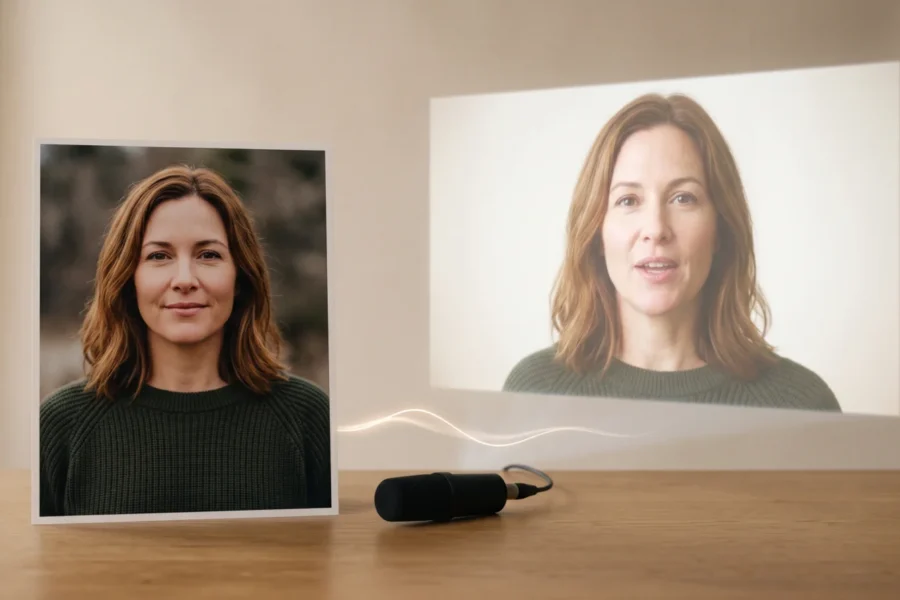
If your account doesn’t show an applicable offer, plan one controlled paid test. The product page describes video generation from a single image with audio and an optional text prompt; it also advertises native 720p output. Those are the official capabilities to design around. A messy photograph is still a risk.
- Choose one subject photo you have permission to use. For a talking-head test, I would choose a straightforward chest-up frame with the face unobstructed, rather than spending the first attempt on a group shot. This is an editorial choice, not a BytePlus requirement.
- Record a short speech segment in a quiet room. Listen once for clipped first words and a long tail of silence; trimming those problems before generation costs nothing. If you’re aiming for the film-grade tier, account for the 30-second minimum advertised on its pricing card when preparing the clip.
- Write down what you’re measuring before you submit: mouth timing on a named sentence, eye-line, crop stability, or whether a requested gesture makes sense. Change one thing next time. If you change the portrait and the audio together, you won’t know which helped.
- Check the selected tier, displayed duration and any applicable credit in the actual checkout or API billing view. Save that screen for your own records. If it doesn’t match the pricing you budgeted for, stop and resolve the difference rather than treating the published rate as a promise of your account’s final charge.
The step-by-step use guide covers the wider workflow. For price, start with your account. First find out whether your account actually has credit for the exact service you’re about to call.
Free examples and cheaper alternatives
Watching a public example can help you judge motion style, but it isn’t a test with your own face, voice or consented material. The BytePlus page shows what the company chooses to show. I would use it to decide whether to run a small paid experiment, not to promise a client their photo will behave the same way.
You can keep the preparation free: crop the image, edit the recording, make a shot list and set an acceptable per-clip budget before opening a generation tool. For rough timing, a static-photo cut in your video editor with the intended audio is useful. It won’t tell you whether lip sync will work, but it will expose a script that’s too long for the shot.
If you’re considering a third-party interface offering free credits, read its own terms. Its quota, watermark rules or output limits are that vendor’s rules, not BytePlus’s OmniHuman 2.0 terms. Likewise, “free to sign up” doesn’t answer whether the first generated second costs money. Write the provider beside each price. Otherwise a reseller promotion can become an “official trial” in your planning sheet.
Questions to settle before uploading a client portrait
Ask support or check the live account offer for which service receives any credit, when it expires and what happens when it runs out. Get the same clarity on the intended rights for commercial output and the regions where your team may use the service; the public OmniHuman product page does not spell out those terms. Don’t infer them from another BytePlus product’s offer.
Price isn’t permission. A no-cost render, if one is offered to your account, doesn’t give you a person’s consent to animate their photograph or voice. For a client approval test, ask for a photo and recording that were cleared for this specific use, and delete rejected drafts according to your own retention policy. The cheapest responsible experiment starts before you press Generate.