OmniHuman2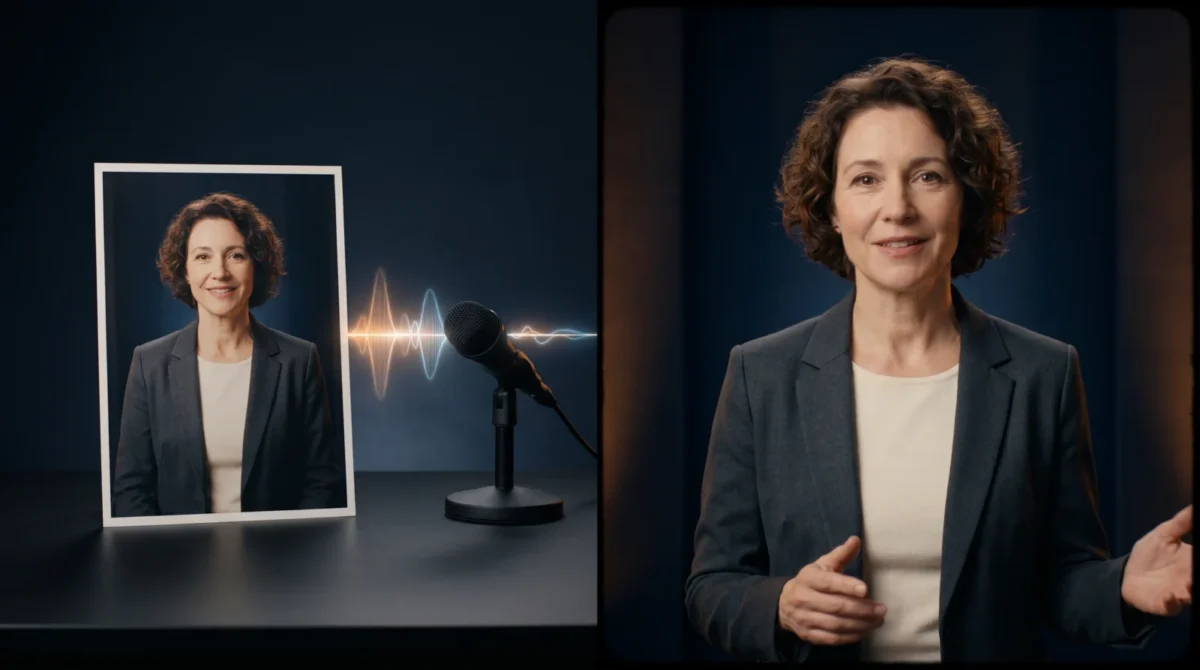
OmniHuman 2.0 vs D-ID comes down to the shot you’re making. BytePlus describes OmniHuman 2.0 as turning an image plus audio into a performance with prompt-directed body and camera motion, while D-ID’s Studio is built around making avatar-led videos from text, audio or a still image. Choose the workflow before comparing price tags.
The two production jobs
A spokesperson reading a product update to camera isn’t the same assignment as a singer moving across a stage. Both may start with one portrait. What you need to control after that is different.
BytePlus says OmniHuman 2.0 accepts a single image with audio and an optional text prompt. The product page names camera movement and gestures. Multi-person performance is listed too, along with native 720p output. If the brief calls for a character to move through a scene in time with an existing voice track, those are relevant controls. This is a description of the offered features, not a guarantee that every input will produce the shot you pictured.
D-ID’s Creative Reality Studio describes a different starting point: you can create an avatar video from text, audio or a still image, and you can pick a premade presenter or upload a face image. The Studio also describes voice and translation features. That makes it a sensible first look for repeatable presenter content where writing or localizing the speech matters more than staging a moving scene. Check the feature available in the plan you intend to buy, rather than assuming every avatar or output option is included.
| Decision point | OmniHuman 2.0 | D-ID Studio |
|---|---|---|
| Starting material | BytePlus lists one image, audio and an optional text prompt | D-ID Studio describes text, audio and still-image paths |
| Shot direction | BytePlus lists gestures, camera moves and multi-person scenes | D-ID Studio emphasizes avatar presenters and speech creation |
| Published output limit | BytePlus lists 30–300 seconds for its film-grade tier | D-ID Studio says a video is limited to five minutes |
| Cost unit | BytePlus publishes a per-second film-grade price and a separate avatar price | D-ID Studio pricing accounts for video by plan minutes, rounded to 15-second intervals |
The table compares product-page claims, not measured rendering quality. There’s no honest winner on facial realism from a spec sheet. A sample of your own material is the useful test.
Price the actual length, not a vague monthly total
BytePlus lists $0.07 per second for OmniHuman 2.0’s film-grade tier, which includes the 30-to-300-second output range on its pricing panel. A 90-second film-grade clip works out to 90 s × $0.07 = $6.30. BytePlus separately lists $0.12 per second for an avatar tier centered on lip sync: 90 s × $0.12 = $10.80 if 90 seconds is available for the chosen job. Don’t transfer the film-grade duration range to the avatar tier without checking the request details.
D-ID explains in its Studio pricing FAQ that a video consumes plan minutes rounded up to the nearest 15 seconds. An 80-second video therefore accounts for 90 seconds of plan time; that is billing arithmetic, not a quoted dollar price. D-ID also says unused minutes expire at renewal and notes watermarks on Trial and Lite plans. Look at the current plan checkout for the price and features before you compare a subscription against BytePlus’s per-second figures. They’re different billing models.
Here’s the cost trap I would avoid: buying a plan for one presenter clip when the only needed asset is a single take, or paying by the second for repeated localization if the Studio workflow is the thing you actually need. Budget for rejected attempts too. The OmniHuman 2.0 pricing guide walks through more lengths, but don’t treat either vendor’s promotional claims as a measured cost per usable clip.
Pick a test that tells you something
Start with one consented portrait, cropped chest-up. Pair it with the same clean narration in each workflow if you’re evaluating a talking presenter. Keep the backdrop plain so a distracting scene doesn’t hide mouth movement. Then review at normal playback speed, not only in a paused close-up. Listen for clipped consonants. Leave a long pause too.
For the motion-led brief, write a second shot plan instead of trying to force both products into an identical feature checklist. Give the subject a clear action, such as turning from a three-quarter pose toward the camera during a line of speech. BytePlus specifically describes text prompts for gesture and camera direction in OmniHuman 2.0. The camera and gesture prompt guide has examples to adapt. Don’t put a promise of camera travel in a D-ID request just because the same words were used elsewhere; check its Studio controls first.
Create only with an image and voice you have permission to use. Keep track of which files made each version. Watch jacket edges and teeth, especially when a phrase stops. If a hand enters frame, don’t judge the face alone. The first second can look fine. The awkward gesture may arrive later. There’s no published head-to-head benchmark here and I haven’t run one; these are evaluation criteria, not reported results.
Choose the delivery workflow
D-ID Studio makes sense to evaluate when someone on the team wants to write a script, select a presenter and produce a straightforward announcement without building an API pipeline. The Studio’s own product page presents those creation options. Its stated five-minute video limit is worth checking against a training segment that may run longer once the script is read aloud.
OmniHuman 2.0 is the one I’d investigate for a directed shot using a specific still and a finished voice track. BytePlus presents it through its API and product access route; the OmniHuman API access guide explains what to check before integrating. If you just need a first picture-and-audio workflow, make a video on the OmniHuman overview and inspect what the available route asks you to provide. Don’t assume that a Studio subscription and API billing are interchangeable.
BytePlus’s product page doesn’t document a free trial, supported speech languages, regional access or commercial-use terms for OmniHuman 2.0. Get those details in the applicable account terms or from the vendor before promising a multilingual campaign to a client. D-ID’s plan terms need the same check. Include the intended voice and avatar, plus the distribution channel.
For a client review, export a short passage that includes the brand name and one difficult line. Put the original audio beside both videos and ask the reviewer to mark the exact timestamp of each bad mouth shape or distracting motion. A vote for the prettier thumbnail tells you almost nothing.